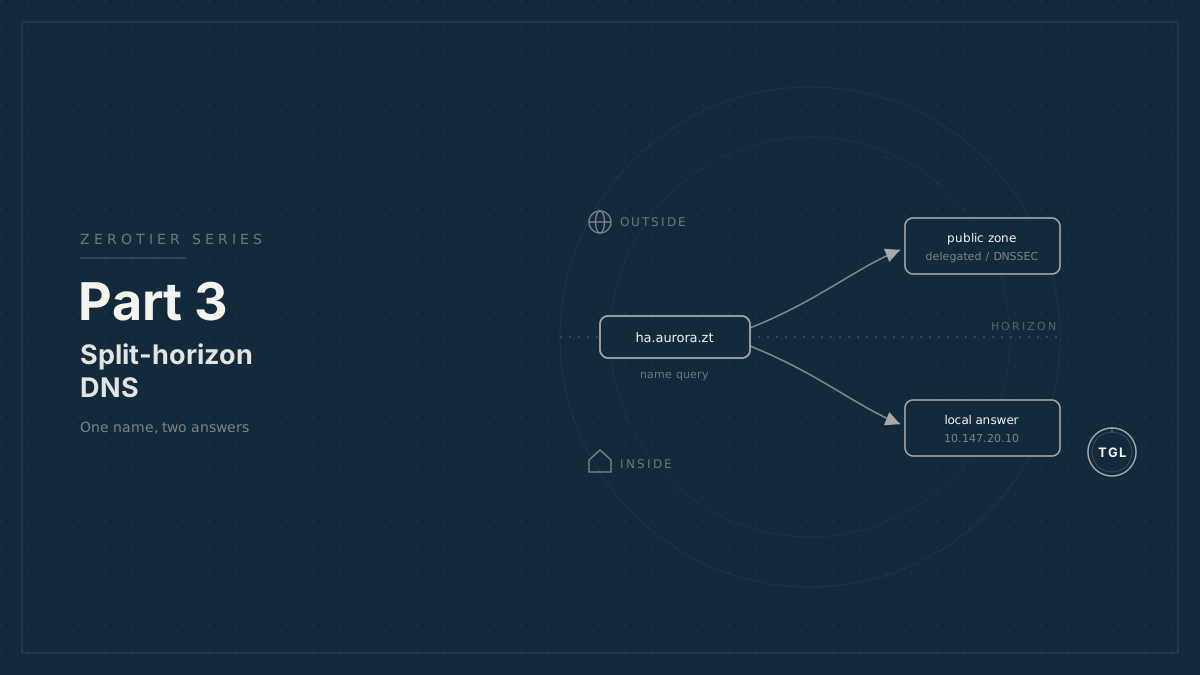
Part 3: Split-Horizon DNS for Mobile ZeroTier Sites
A split-horizon DNS design for mobile private networks, using registered domains, local authoritative answers, and DNSSEC-aware public delegation.
The ZeroTier overlay gives users a path to the site. DNS gives them names they can remember.1
For a mobile private network, DNS has to satisfy two different requirements:
- Local users on the vehicle or RV must resolve site names even when the WAN is offline.
- Public DNS must not create DNSSEC failures or long-lived negative answers for names that are intended to exist privately.
This is the split-horizon problem. The same name can exist in more than one DNS view, with local resolvers returning private answers and public resolvers returning only the public data needed for delegation and certificate issuance.
Naming scheme#
Use a real registered domain controlled by the operator. Do not use .local,
.lan, .internal, or an unregistered top-level domain.
Example:
zt.example.com|+-- aurora.zt.example.com| || +-- ha.aurora.zt.example.com| +-- router.aurora.zt.example.com| +-- nas.aurora.zt.example.com|+-- calypso.zt.example.com | +-- ha.calypso.zt.example.com +-- router.calypso.zt.example.comEach mobile site receives its own subzone. The examples in this series use
aurora.zt.example.com; replace it with the real site identifier.
Local DNS authority#
Each site should be able to answer for its own subzone locally. On RutOS, the natural place to do this is the router, because it is already the DHCP and DNS resolver for the LAN.
LAN client | | DHCP option 6 v[RutOS dnsmasq] | authoritative for aurora.zt.example.com | +-- ha.aurora.zt.example.com -> 192.168.42.43 +-- router.aurora.zt.example.com -> 192.168.42.1 +-- overlay.aurora.zt.example.com -> 10.147.20.1The important point is authority. A resolver that is authoritative for a zone
answers directly from its own zone data. It does not need to ask public DNS
whether ha.aurora.zt.example.com exists.
A dnsmasq-style configuration looks like this:
auth-server=ns.aurora.zt.example.comauth-zone=aurora.zt.example.com,192.168.42.0/24,10.147.20.0/24address=/ha.aurora.zt.example.com/192.168.42.43address=/router.aurora.zt.example.com/192.168.42.1address=/overlay.aurora.zt.example.com/10.147.20.1The address= lines answer LAN clients directly. The auth-zone and
auth-server directives make the router authoritative for the subzone when
another resolver queries it; confirm which form the target firmware’s dnsmasq
build expects.
Configuring local records on RutOS#
The address= records are the part that delivers offline resolution, and they
map cleanly to UCI, which survives service restarts and firmware upgrades:
uci add_list dhcp.@dnsmasq[0].address='/ha.aurora.zt.example.com/192.168.42.43'uci add_list dhcp.@dnsmasq[0].address='/router.aurora.zt.example.com/192.168.42.1'uci add_list dhcp.@dnsmasq[0].address='/overlay.aurora.zt.example.com/10.147.20.1'uci commit dhcp/etc/init.d/dnsmasq restartThat alone lets every LAN client resolve site names with the WAN down, because
the router answers from its own configuration. The auth-zone / auth-server
directives are a separate, additional step: they make the router answer as the
authoritative server when an external resolver follows a delegation to it
(Pattern B below). OpenWrt’s UCI does not expose
auth-zone on every build, so when you need it, drop a config file into the
dnsmasq include directory and point the dnsmasq instance at it:
cat > /etc/dnsmasq.d/aurora-auth.conf <<'EOF'auth-server=ns.aurora.zt.example.comauth-zone=aurora.zt.example.com,192.168.42.0/24,10.147.20.0/24EOFuci set dhcp.@dnsmasq[0].confdir='/etc/dnsmasq.d'uci commit dhcp/etc/init.d/dnsmasq restartVerify both the include path and the confdir option against your target
firmware; some RUTM builds manage dnsmasq through the WebUI instead and may
override hand-edited files.
This series targets the Teltonika RUTM series
on RUTM_R_00.07.23.6, which Teltonika listed as the latest RUTM firmware image
on June 15, 2026. Teltonika listed RUTM_R_00.07.22.4 as the stable RUTM
firmware image on June 12, 2026. For customer deployments, choose stable unless
latest contains a fix or feature the site needs.
RutOS versions still differ in where custom dnsmasq configuration belongs. Some
systems use files under /etc/dnsmasq.conf.d/; others should be managed through
UCI or the WebUI so the configuration survives service restarts, profile
changes, and firmware upgrades. Verify the exact target firmware before
publishing copy-paste commands.
Public DNS and DNSSEC#
The public zone is still important. It proves ownership of the names, prevents collisions with other people’s namespaces, and supports ACME DNS-01 validation.
ISC’s guidance for private DNS zones is the key reference here:
- Use names under a registered domain that you control.
- Delegate private zones from the registered public domain where appropriate.
- Be aware that DNSSEC-validating resolvers can synthesize and cache NXDOMAIN for undelegated private names.
With a signed public parent zone, an undelegated private subtree can be actively harmful. A public resolver can receive a signed proof that the subtree does not exist. If a client uses public DoH or another validating resolver, that negative answer can outlive the user’s return to the local network.
The public side should therefore be deliberately designed. There are three practical patterns, and DNSSEC validation changes which one should be the default.
Decision point: public DNS shape#
The decision is not “split DNS or no split DNS.” The decision is what public DNS should say about each vehicle subzone.
Pattern A: one public fleet zone plus local overrides#
In this pattern, zt.example.com remains the only public zone. It contains
positive public records for the browser names and the ACME validation records
needed for DNS-01. The RutOS router privately serves the same names to local
clients with LAN or site-local ZeroTier addresses.
Public DNS:
zt.example.com|+-- ha.aurora.zt.example.com      -> 10.147.20.43 or a safe placeholder+-- router.aurora.zt.example.com  -> 10.147.20.1 or a safe placeholder+-- _acme-challenge.ha.aurora.zt.example.com    TXT written by the ACME client
Private DNS:
RutOS dnsmasq|+-- authoritative for aurora.zt.example.com    +-- ha.aurora.zt.example.com -> 192.168.42.43
This is the least-moving-pieces design for ordinary non-validating LAN clients. ACME DNS-01 works because the public zone can answer the challenge name directly. Public resolvers also do not return signed NXDOMAIN for published service names because those names exist publicly. For Cloudflare-hosted DNS, keep these records DNS-only; do not proxy private ZeroTier or placeholder targets through Cloudflare.
There are two tradeoffs:
- Public DNS can reveal service names and whatever targets you publish. If users may query public DNS while connected through ZeroTier, publish the relevant ZeroTier address or a gateway address. If you do not want public DNS to reveal overlay addresses, publish a harmless placeholder record instead; that avoids NXDOMAIN but will not make public-DoH clients work without the local resolver.
- If
zt.example.comis DNSSEC-signed, unsigned local overrides for names below that same signed zone are not DNSSEC-valid Internet data. They usually work because typical LAN clients trust the router as a non-validating resolver. A validating stub resolver, or a validating internal resolver that treats the override as forwarded data instead of local authoritative data, can mark the answer bogus.
Use this only when the managed clients are ordinary stubs that trust the site resolver, or when the public DNS answer itself is usable for ZeroTier clients.
Pattern B: internal-only delegation#
In this pattern, the parent zone delegates the site subzone to an internal nameserver, usually the RutOS router’s ZeroTier address:
aurora.zt.example.com. NS ns.aurora.zt.example.com.ns.aurora.zt.example.com. A 10.147.20.1The parent returns a referral instead of a signed NXDOMAIN. That is good for
private DNS hygiene, but it creates a certificate problem. Public ACME
validators cannot reach the internal authoritative server, so they cannot read a
TXT record or follow a CNAME below aurora.zt.example.com.
Use this only if the site will not use public ACME certificates for names below
the delegated subzone, or if a different public certificate name is acceptable.
It is not the right fit for the goal of using https://ha.aurora.zt.example.com
with a public wildcard certificate.
Pattern C: public child zone plus private local view#
In this pattern, the parent zone delegates aurora.zt.example.com to a minimal
public child zone. That child zone contains only the records needed for public
DNS correctness and device-local certificate validation. The RutOS router serves
a private zone with the same apex to local clients.
Public view:
zt.example.com|+-- delegates aurora.zt.example.com       |       +-- public child zone           +-- positive service records or placeholders           +-- _acme-challenge TXT records for device ACME clients
Private view:
RutOS dnsmasq|+-- authoritative for aurora.zt.example.com    +-- real LAN and ZeroTier addresses
This is the DNSSEC-safe default when the public parent is signed and local
answers are unsigned. The parent returns a delegation instead of a signed
NXDOMAIN. If the child delegation has no DS record in the parent, DNSSEC
validators treat the child as an insecure delegation rather than bogus unsigned
data. Public ACME validation still works because the public child zone can
answer _acme-challenge.
Do not enable DNSSEC on the public child zone unless the private local view is also signed consistently, or unless every validating resolver is explicitly configured to treat the local child zone as insecure. In practice, leave the per-site child unsigned and publish no DS record for it.
The tradeoff is operational: the public child zone and the private local view must be kept conceptually aligned. That is an extra moving piece, but it is the right one if DNSSEC-validating clients or resolvers are in scope.
Concretely, the parent zone holds only the delegation, and the child zone holds only public-safe records:
; in zt.example.com (parent), delegating the site subzoneaurora.zt.example.com.   NS   ada.ns.cloudflare.com.aurora.zt.example.com.   NS   bob.ns.cloudflare.com.; no DS record for aurora.zt.example.com
; in aurora.zt.example.com (unsigned child zone)ha.aurora.zt.example.com.                  A      10.147.20.43_acme-challenge.ha.aurora.zt.example.com.  TXT    "written by ACME client"
If the child zone is a separate Cloudflare zone,
use the two nameservers Cloudflare assigns to it as the parent’s NS records.
Leave DNSSEC disabled for that child zone unless you are prepared to sign the
private view consistently as well. Part 5 covers when a challenge-alias target is
worth the extra DNS.
Implementation steps#
- Choose the fleet namespace, such as
zt.example.com, under a registered domain you control. - Choose a site label with no spaces or punctuation, such as
aurora. - Assign the site subzone:
aurora.zt.example.com. - Choose the public DNS pattern. If DNSSEC-validating clients or resolvers are in scope, use the unsigned public child zone plus private RutOS view pattern.
- In the public parent zone, delegate the site subzone to the public child zone and do not publish a DS record for the child.
- In the public child zone, add positive DNS-only records for browser names and add or allow ACME clients to create the DNS-01 validation records described in Part 5.
- On the RutOS router, configure local DNS authority for
aurora.zt.example.com. - Add local records for services such as
ha.aurora.zt.example.com,router.aurora.zt.example.com, andoverlay.aurora.zt.example.com. - Confirm DHCP hands out the router as the LAN resolver.
- Test local resolution with the WAN disconnected, then test the public ACME challenge names from a resolver outside the ZeroTier and LAN paths.
Why not .local or .lan#
Private-looking suffixes create long-term operational problems:
.localis reserved for Multicast DNS behavior.- Unregistered names can collide with future delegated names.
- DNSSEC validation has no clean chain of trust for made-up namespaces.
- Users and support tools behave inconsistently across operating systems.
Use a real domain. If the operator owns example.com, a fleet namespace such as
zt.example.com or internal.example.com is predictable and defensible.
HAOS-only sites#
If a site has Home Assistant OS but no capable router, run DNS on a device whose role is actually network infrastructure. AdGuard Home or Pi-hole can provide local overrides, but the LAN should still receive that resolver through DHCP.
Do not make the Home Assistant application host the only DNS authority for the site unless the failure mode is acceptable. If Home Assistant is down, local DNS for the site should ideally remain available.
Captive portals and DNS interception#
Mobile networks often pass through captive portals or carrier resolvers that intercept DNS. That does not change the local design: LAN clients should receive the site router as their resolver through DHCP.
For the router’s upstream DNS, use a known resolver and a transport appropriate for the site. If the router performs certificate renewal or ACME checks, make sure its own resolver path sees public authoritative DNS, not a captive-portal answer.
Operational checks#
Before publishing a site DNS configuration:
- Confirm the site router answers local names with the WAN disconnected.
- Confirm clients receive the router as DNS through DHCP.
- Confirm public DNS returns positive answers for browser names that the design expects to exist, even if those answers are only placeholders.
- Confirm public DNS does not return signed NXDOMAIN for published browser names.
- If using the DNSSEC-safe child-zone pattern, confirm the public parent returns no DS record for the child delegation.
- During a staging issuance, confirm the ACME challenge TXT resolves through the public path chosen for Part 5.
Concrete tests:
# From a LAN client, with the WAN disconnected, query the router directly:nslookup ha.aurora.zt.example.com 192.168.42.1     # expect 192.168.42.43
# From off-site, against a public validating resolver, confirm public DNS gives# a positive answer for the browser name, not a signed NXDOMAIN:dig +dnssec ha.aurora.zt.example.com @1.1.1.1
# For the unsigned child-zone pattern, confirm the child has no DS in the parent:dig +dnssec DS aurora.zt.example.com @1.1.1.1
# During a staging issuance, confirm the ACME TXT is visible publicly:dig TXT _acme-challenge.ha.aurora.zt.example.com @1.1.1.1
For published browser names, a signed NXDOMAIN is the failure this design is
meant to prevent. For the unsigned child-zone pattern, a signed NODATA answer
for the child DS lookup is expected; it proves the child is an insecure
delegation. For names you deliberately do not publish, public NXDOMAIN is
expected.
Reference documentation#
- ISC: Using private or internal DNS zones
- Cloudflare: Delegate subdomains
- Cloudflare: Subdomain setup
- Cloudflare: DNSSEC
- Cloudflare: Wildcard DNS records
- dnsmasq: Documentation and man page
- Teltonika: RUTM50 Firmware Downloads
- Teltonika: RUTM50 Network manual page
- RFC Editor: RFC 8499 DNS Terminology
Footnotes#
-
Written in collaboration between Claude, GPT, and Adam Sherman’s human brain; the wetware retained final veto power. ↩