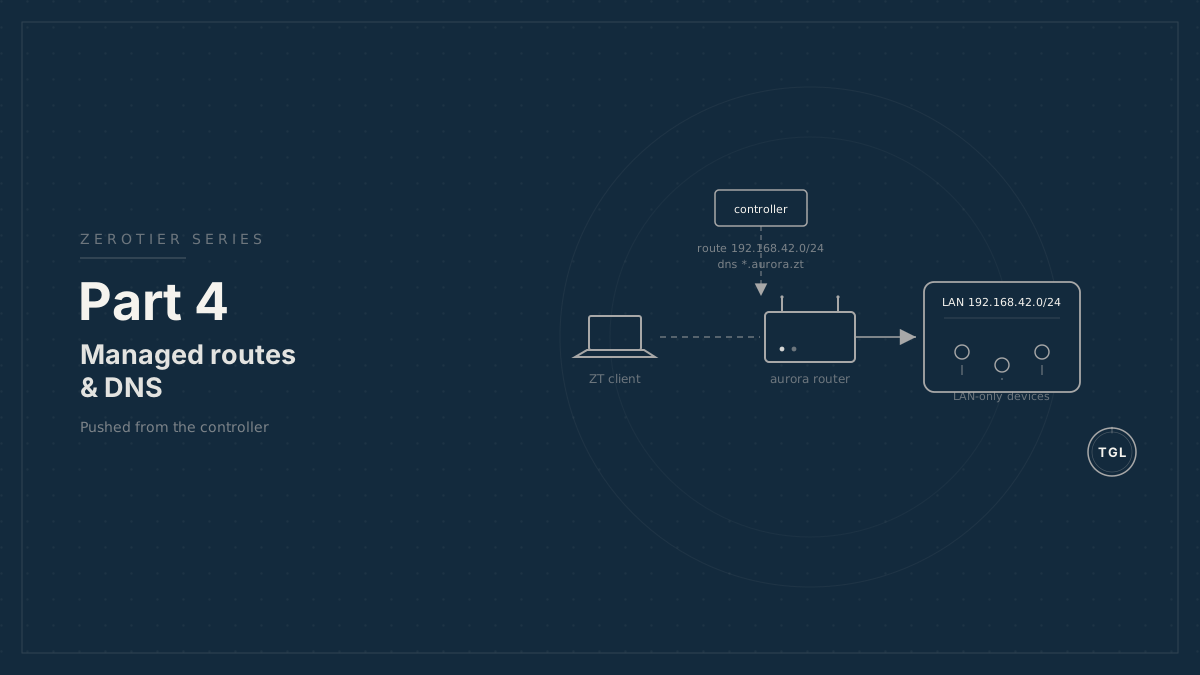
Part 4: Managed Routes and DNS in ZeroTier
How to distribute LAN routes and site DNS settings from the ZeroTier controller so users can reach private mobile-site services without manual network setup.
ZeroTier connects approved members to the overlay network. Managed routes and managed DNS make that connection useful without asking every user to configure static routes or resolver settings by hand.1
For a mobile site, the router should usually be the only site device that joins ZeroTier. It then routes selected overlay traffic to LAN devices such as Home Assistant, cameras, or a NAS.
[user laptop] ZT: 10.147.20.50 | | managed route: 192.168.42.0/24 via 10.147.20.1 v[RutOS router] ZT: 10.147.20.1 LAN: 192.168.42.1 | +-- HAOS 192.168.42.43 +-- NAS 192.168.42.44Why route through the router#
Putting every LAN device directly on ZeroTier is tempting, but it creates more identities, more updates, and more support cases.
Routing through the site router is cleaner:
- Devices that cannot run ZeroTier remain reachable.
- The operator authorizes one ZeroTier member per site.
- A stolen router identity can be revoked in one place.
- LAN firewall policy remains on the network boundary.
- Home Assistant and other services can stay on normal LAN addresses.
The router becomes the bridge between the overlay and the physical site LAN, but it does not need to bridge Ethernet frames. In most deployments, routed access with firewall policy is easier to support than Layer 2 bridging.
Controller-side route#
In the ZeroTier controller, add a managed route for the site’s LAN subnet:
Destination: 192.168.42.0/24Via: 10.147.20.1In ZTnet this is the network’s Managed Routes
section: add a route with target 192.168.42.0/24 and via 10.147.20.1. All
approved members that allow managed routes can then learn that 192.168.42.0/24
is reachable through the RutOS
router’s ZeroTier address.
Keep LAN subnets unique wherever possible. Overlapping 192.168.1.0/24 networks
are common in consumer gear and become painful in a fleet. Assign each site a
predictable LAN range during commissioning.
Example allocation:
aurora 192.168.42.0/24calypso 192.168.43.0/24minerva 192.168.117.0/24If overlapping LANs cannot be avoided, use NAT on the site router or publish only a smaller service subnet. Do not let overlapping routes leak into customer devices without a deliberate translation plan.
Router-side forwarding#
The controller route only gets packets to the router. The router also has to forward them to the LAN and allow the return path.
On a RutOS router, this is normally a firewall-zone task:
- The ZeroTier interface belongs to a trusted or semi-trusted VPN zone.
- Forwarding from the ZeroTier zone to the LAN zone is allowed only as needed.
- Return traffic from LAN to ZeroTier is allowed for established flows.
- NAT is enabled if the LAN devices do not have a route back to the ZeroTier address pool.
Pure routing is cleaner when every LAN knows the ZeroTier route. NAT is often more practical in small mobile sites because LAN-only devices simply reply to the router.
Routed mode:  HAOS sees source 10.147.20.50  HAOS or gateway needs route back to 10.147.20.0/24
NAT mode:  HAOS sees source 192.168.42.1  HAOS replies to its normal default gateway
Use routed mode when you control the whole LAN and need source visibility. Use NAT when simplicity matters more than per-client source addresses.
Configuring forwarding on RutOS#
Place the ZeroTier interface in its own firewall zone and allow it to forward to
the LAN. The ZeroTier package usually creates interfaces matching zt+:
From the CLI#
# Create a zerotier firewall zoneuci add firewall zoneuci set firewall.@zone[-1].name='zerotier'uci set firewall.@zone[-1].input='ACCEPT'uci set firewall.@zone[-1].output='ACCEPT'uci set firewall.@zone[-1].forward='REJECT'uci add_list firewall.@zone[-1].device='zt+'
# Allow forwarding from the zerotier zone to the LANuci add firewall forwardinguci set firewall.@forwarding[-1].src='zerotier'uci set firewall.@forwarding[-1].dest='lan'
uci commit firewall/etc/init.d/firewall restart
For NAT mode, so LAN devices reply to the router rather than needing a route back to the ZeroTier pool, enable masquerading on the LAN zone — the zone the traffic exits toward the LAN:
uci show firewall | grep "name='lan'" # find the lan zone indexuci set firewall.@zone[<lan-index>].masq='1' # use the index from aboveuci commit firewall/etc/init.d/firewall restartFor routed mode, leave masquerading off and instead ensure LAN hosts (or the
LAN’s gateway) have a route for 10.147.20.0/24 pointing at the router. RutOS
exposes the same settings under Network → Firewall in the WebUI; confirm the
zone names and the interface device pattern on your firmware before relying on
the zt+ match.
Managed DNS#
ZeroTier managed DNS allows the controller to push DNS servers and a search domain to clients that support and permit it.
For a single-site network:
DNS server: 10.147.20.1Search domain: aurora.zt.example.comThe DNS server is the RutOS router’s ZeroTier address. The search domain is the site subzone. Users can then resolve fully qualified names such as:
ha.aurora.zt.example.comrouter.aurora.zt.example.comClient support and consent#
Managed DNS is not uniformly applied across every ZeroTier client. ZeroTier’s documentation currently states that managed DNS is supported on Windows, macOS, Android, and iOS, and that clients must allow DNS management.
Linux behavior depends on the resolver stack and local integration. Treat Linux as a platform that may need explicit resolver configuration.
For support documentation, record the expected client behavior by platform:
Windows Verify "Allow DNS" and test with browser or PowerShell.macOS Verify with browser, ping, dscacheutil, or dns-sd.iOS/iPadOS Verify ZeroTier network DNS permission and Safari.Android Verify ZeroTier network DNS permission and browser.Linux Verify systemd-resolved, NetworkManager, or manual DNS setup.On macOS, common command-line tools such as dig and nslookup may not reflect
the system resolver path used by applications. Test with tools that use the
platform resolver, not only raw DNS utilities.
Per-customer isolation#
Use separate ZeroTier networks for separate customer sites unless there is a clear reason to do otherwise. That keeps the route table and membership model understandable.
A practical model:
- One network per mobile site.
- Site router and authorized owner devices join that network.
- Operator support devices join only when needed, or remain members with restricted policy.
- ZTnet organizations mirror customer ownership.
- Flow rules enforce the expected traffic boundaries.
ZeroTier flow rules can express policy at the overlay layer. Use them to reduce blast radius, but do not treat them as the only firewall. The site router should still enforce LAN access policy.
Implementation steps#
- Assign the RutOS router a stable ZeroTier address, such as
10.147.20.1. - Confirm the site LAN subnet, such as
192.168.42.0/24, does not overlap with other customer sites. - In the ZeroTier controller, add a managed route for the LAN subnet via the router’s ZeroTier address.
- On the RutOS router, place the ZeroTier interface in an explicit firewall zone.
- Allow forwarding from the ZeroTier zone to the LAN only for the services that should be reachable.
- Choose pure routing or NAT. Use NAT when LAN devices do not know how to route back to the ZeroTier address pool.
- Set managed DNS for the network to the router’s ZeroTier address.
- Set the search domain to the site subzone, such as
aurora.zt.example.com. - Confirm each user device allows managed routes and managed DNS.
- Test by resolving
ha.aurora.zt.example.comand reaching the service from an approved client outside the site LAN.
Validation checklist#
For each site:
- Confirm the router is authorized in the correct ZeroTier network.
- Confirm the router has the expected ZeroTier address.
- Confirm the controller has the LAN route via that address.
- Confirm the user’s client allows managed routes.
- Confirm the router forwards or NATs traffic to the LAN.
- Confirm managed DNS points to the router’s ZeroTier address.
- Confirm the fully qualified site names resolve through the ZeroTier path.
- Confirm a user from another customer network cannot reach the site.
Concrete reachability test from an authorized client off the site LAN:
nslookup ha.aurora.zt.example.com # resolves via the pushed resolverping 192.168.42.43 # LAN host reachable over the routecurl -I https://ha.aurora.zt.example.comOn macOS, prefer dscacheutil -q host -a name ha.aurora.zt.example.com or a
browser over dig / nslookup, which bypass the system resolver and the pushed
ZeroTier DNS.
Document the expected output of these checks for the router firmware version in use. RutOS UI labels and firewall behavior can change across releases.
These examples target the Teltonika RUTM
series on RUTM_R_00.07.23.6, which Teltonika listed as the latest RUTM
firmware image on June 15, 2026. Teltonika listed RUTM_R_00.07.22.4 as the
stable RUTM firmware image on June 12, 2026. For customer deployments, validate
the same route, firewall, and DNS behavior on the exact stable or latest
firmware selected for that fleet.
Reference documentation#
- ZeroTier: DNS Management
- ZeroTier: Client Configuration
- ZeroTier: Route between ZeroTier and Physical Networks
- ZeroTier: Rules Engine
- ZeroTier: Teltonika Networks
- Teltonika: RUTM50 Firmware Downloads
- Teltonika: RUTM50 Network manual page
Footnotes#
-
Written in collaboration between Claude, GPT, and Adam Sherman’s human brain; the wetware retained final veto power. ↩